
November 19, 2026

Pet Microchip Registration at Veterinary Clinics: A Workflow from Scan to Registry Update

Pet microchip registration connects a pet’s unique microchip number with the owner’s contact information in a registry. Veterinary clinics play an important role by scanning and verifying the number, confirming pet and owner details, submitting registration or transfer information through the appropriate registry, and recording the outcome in the patient record.


A pet microchip can provide a permanent form of identification, but implantation alone does not complete the process. For the microchip to help reunite a lost pet with its family, its unique identification number must be associated with accurate, current contact information in an accessible registry.


That makes pet microchip registration an important part of a veterinary clinic’s patient-management workflow. The process can involve several people: the veterinarian or veterinary nurse performing the scan, the client-service team confirming owner information, and the clinic administrator or shelter partner coordinating registration details.


Without a consistent process, clinics may encounter duplicate registrations, incorrect microchip numbers, outdated owner details, and uncertainty about whether a registration was successfully completed.


A structured workflow, from the first scan to the final registry confirmation, helps teams maintain reliable records and give pet owners clear instructions about what happens next.


What Is the Difference Between Microchip Implantation and Registration?


Microchip implantation and microchip registration are two separate steps.


Implantation is the clinical procedure in which a veterinarian, or someone working under appropriate veterinary supervision, places a small electronic identification device beneath the animal’s skin. When a compatible scanner is passed over it, the device transmits a unique identification number.


Registration connects that number to information about the pet and its owner in a microchip registry. The registry maintains the contact information that can help a veterinary clinic, shelter, or animal welfare organization initiate contact if the pet is found.


A microchip does not function as a GPS tracker and does not independently store the owner’s telephone number or address. Its identification number must be linked to a registration record.


This distinction matters because a pet may have an implanted microchip that has never been registered, or a registered microchip associated with a previous owner’s contact information.


The American Veterinary Medical Association (AVMA) recommends that pet owners ensure their microchips are registered, have them scanned periodically, and keep their contact information current.


For veterinary teams, the practical takeaway is simple: do not treat a successful implantation or scan as proof of completed registration. Each stage should have its own confirmation in the clinic workflow.


How Should a Clinic Scan and Verify a Microchip Number?


Accurate scanning is the foundation of veterinary microchip registration. A number entered incorrectly can lead to a failed lookup or an association with the wrong record.


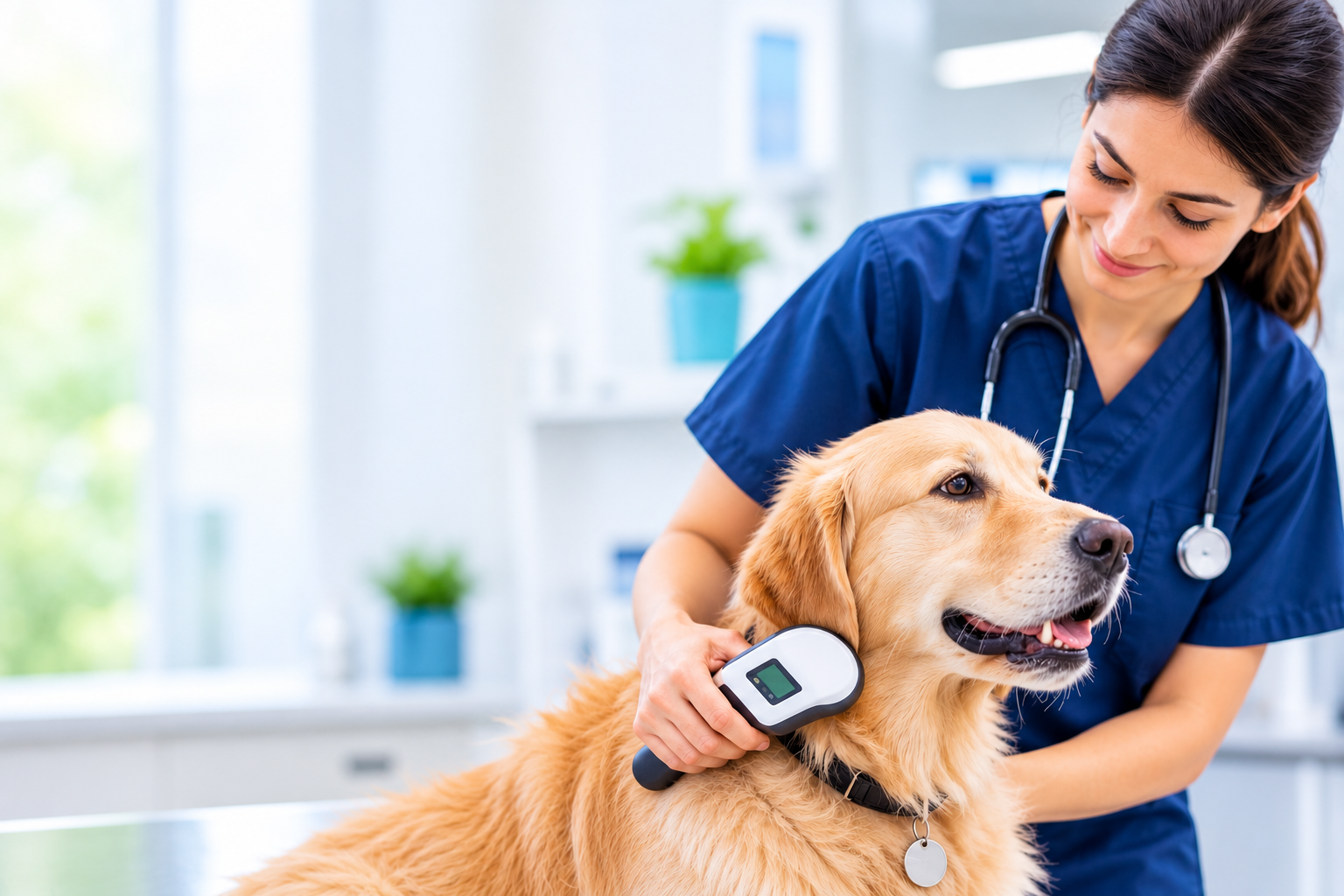
Before scanning, staff should confirm that the scanner is functioning and that it is compatible with the microchip technologies commonly encountered in the clinic’s region. A universal scanner is useful because different microchip products and frequencies may be in circulation.


A consistent scanning process should include the following steps:

  1. Prepare the scanner: Check its battery and test its function according to the manufacturer's instructions.

  2. Begin at the expected implantation site: For dogs and cats, this is commonly the area between the shoulder blades, although implantation sites and regional practices can vary.

  3. Scan slowly: Move the scanner steadily across the area rather than making a quick pass.

  4. Cover the wider body: If no chip is detected at the expected site, scan additional areas, including the neck, shoulders, sides, and back. Microchips can migrate from their original implantation location.

  5. Adjust and repeat: Change the scanner's orientation and repeat the scan when necessary. A second compatible scanner may also help resolve detection problems.

  6. Verify the displayed number: Once detected, repeat the scan to confirm the reading and compare it with any available microchip label or documentation.


The AVMA highlights the importance of scanning the animal's body thoroughly because detection can be affected by scanning technique, scanner compatibility, and other factors. The World Small Animal Veterinary Association (WSAVA) also provides guidance on scanner function, scanning patterns, and implantation-site variations.


A single unsuccessful pass should not automatically be recorded as proof that the animal has no microchip.


For additional guidance, refer to the AVMA Microchipping Animals FAQ and the WSAVA Microchip Identification Guidelines.


Which Owner and Pet Details Should Be Confirmed?


Once a microchip number has been verified, the clinic should confirm the information required by the selected registry.


This is an important checkpoint. Even when the scanned number is correct, outdated or incomplete contact details can make it difficult to reach the owner if the pet is found.


Pet information to confirm may include:

  • Pet's registered name

  • Species and breed

  • Sex and date of birth or estimated age

  • Color, markings, and distinguishing characteristics

  • Microchip number

  • Veterinary clinic's contact details, where requested by the registry


Owner information to confirm may include:

  • Full name of the registered owner

  • Current mobile and alternate telephone numbers

  • Email address

  • Residential or mailing address

  • An alternate or emergency contact, where supported

  • Confirmation that the person is authorized to register the pet or request a change


Staff should verify spellings, telephone numbers, and email addresses with the client rather than relying entirely on previously entered information.


It is also important to distinguish between the person presenting the animal and the person legally or formally recorded as its owner. This is particularly relevant for adopted pets, shelter transfers, and animals recently rehomed.


Clinics should obtain the appropriate client authorization and follow the registry's requirements before submitting personal information or requesting changes to an existing registration.


How Does Registry Registration or Transfer Work?


After confirming the microchip number and the relevant details, the clinic must identify the appropriate registry and determine what action is required.


In the United States, there is no single centralized pet microchip database. Different registries maintain their own records, and a microchip may be associated with one or more participating registries.


The AAHA Microchip Registry Lookup Tool helps veterinary professionals identify registries associated with a microchip number. The tool does not reveal owner contact information or directly update registration details. Instead, it helps identify the registry or registries to contact.


Once the appropriate registry is identified, the clinic should determine which of the following situations applies:


1. New registration

If the microchip has not been registered to the pet's current owner, the clinic can follow the selected registry's new-registration process. This generally involves submitting the verified microchip number and the required pet and owner details.


2. Existing registration with matching details

If the microchip is already registered and the displayed pet and owner information matches the clinic's records, staff should document that the registration was checked. A duplicate submission is not necessary simply because the pet has visited a new clinic.


3. Existing registration with incorrect or outdated details

If the registration exists but the owner information is wrong or outdated, the clinic should follow the registry's correction or update process. The clinic should not assume that a new registration submission will overwrite an existing record.


PetLink's integration documentation explains that when a microchip already registered in PetLink is submitted through an integrated system, a duplicate registration is not created. Instead, PetLink returns the pet name and current owner name to the clinic's account so the team can check the details. If the existing information is incorrect, PetLink instructs clinics to contact its support team with the microchip number and corrected details.


4. Ownership transfer

An ownership transfer is different from changing a telephone number or email address. It is relevant when a microchip is registered to another person or organization, such as a previous owner or shelter.


The clinic should guide the client through the registry's official transfer process and any required proof-of-ownership checks. PetLink, for example, provides a separate ownership-transfer process for current and new owners.


For more information, see PetLink's ownership-transfer guidance.


How Should the Microchip Number Be Recorded in the Patient Record?


Registry submission should not replace clinical documentation. The verified microchip number and registration status should also be recorded in the clinic's practice management information system (PIMS).


A consistent patient record should capture:

  • The complete microchip number, exactly as displayed by the scanner

  • The date the animal was scanned

  • The scan result and the staff member who performed it

  • The registry identified, where known

  • Whether the chip is registered, unregistered, already registered to the current owner, or awaiting clarification

  • Whether a new registration, correction, or ownership transfer was initiated

  • The date of submission and any confirmation or reference number provided

  • Any unresolved discrepancy or follow-up action


The original microchip number should remain easy to locate in the patient's permanent record. If a pet has more than one microchip, each number should be documented separately, with its own registration status.


This creates a reliable reference for future consultations, emergency visits, ownership changes, and shelter-related communication.


A connected PIMS can make this process easier by keeping patient information, clinical records, and relevant integration activity accessible within the clinic's existing workflow.


Explore Woovet's veterinary practice management features to see how connected patient records and practice workflows can support day-to-day clinic operations.


What Common Registration Errors Should Teams Prevent?


Most microchip registration problems are preventable when clinics introduce a clear verification step before submission.


Common issues include:

Incorrect number entry: A transposed or missing digit can prevent a successful lookup. Always verify the scanned number before submitting it.

Scanning only the usual implantation site: Microchips can move from their original location. A complete scan is important, particularly when checking an animal with an unknown history.

Assuming implantation means registration: A microchip may be present without any owner information being registered. Confirm the registry status separately.

Submitting duplicate registrations: Check whether the number already exists in the selected registry before initiating a new registration.

Confusing an update with an ownership transfer: A change in contact information and a change in registered ownership may require different processes and documentation.

Using outdated owner details: Confirm telephone numbers, email addresses, and mailing addresses directly with the client.

Failing to verify completion: A registration request is not necessarily a completed registration. Record the confirmation or document what remains outstanding.

A short verification checklist can help veterinary nurses, client-service teams, and shelter partners follow the same process across appointments and handovers.


How Can Clinics Remind Owners to Keep Registry Details Current?


Microchip registration is not a one-time administrative task that can be forgotten after implantation. Owner information can change when families move, change telephone numbers, adopt another pet, or transfer ownership.


Veterinary clinics can make registry maintenance part of routine preventive care.


A practical approach includes:

  • At annual examinations: Scan the pet's microchip and confirm that the number can still be detected.

  • During client-detail updates: Ask whether the owner's address, phone number, or email has changed.

  • After adoption or ownership changes: Remind the new owner to complete the registry's approved transfer or update process.

  • After new microchip implantation: Explain the registration process and confirm who is responsible for completing it.

  • Through client reminders: Send periodic messages explaining why current registry details matter and directing owners to the appropriate registry.


The AVMA recommends that owners have their pets' microchips scanned at least once a year and keep their registration information up to date.


This process can be supported by automated client communication. Woovet provides appointment reminders, follow-ups, and client updates as part of its practice-management capabilities. Clinics can use their communication workflows to reinforce microchip checks during routine visits and preventive-care follow-ups.


For a broader look at connected veterinary systems, read Essential PIMS Integrations for Enhanced Veterinary Clinic Efficiency.


Make Pet Microchip Registration a Connected Clinic Workflow


A reliable microchip process involves more than scanning a number and entering it into a database. Clinics need to verify the identification number, confirm the owner's details, determine the correct registry action, and maintain an accurate record of the outcome.


When these steps are handled across disconnected systems, teams may end up repeating data entry or losing track of whether registration was completed.


Woovet lists PetLink as an integration that automates pet registration to PetLink's database, helping clinics connect this task with their broader practice workflow. The exact integration behavior and supported fields should be confirmed during implementation so teams understand how new registrations, existing records, and exceptions are handled.


Explore Woovet's PetLink integration and simplify the clinic's microchip-registration workflow.


Explore Woovet Integrations or book a free Woovet demo.

Frequently Asked Questions

Does implanting a microchip automatically register a pet?
No. Implantation places the identification device under the pet's skin, while registration connects its unique number to the owner's contact information in a registry. Clinics should confirm registration separately and provide owners with clear instructions if further action is required.
How can a veterinary clinic find out which registry has a pet's microchip information?
The clinic can scan the pet, obtain the microchip number, and enter it into the AAHA Microchip Registry Lookup Tool. The tool identifies participating registries associated with the number; it does not display owner information or directly update the registration.
What should a clinic do if a microchip is already registered to another owner?
The clinic should establish whether the situation requires a contact-information update or a formal ownership transfer. The current registry's process should be followed, including any required owner authorization or proof of ownership. A new registration should not be used as a substitute for an ownership transfer.
How often should a pet's microchip be scanned?
The AVMA recommends asking a veterinarian to scan the pet's microchip at least once a year to confirm that it is functioning and can be detected. Clinics can incorporate this check into annual wellness examinations.
Can veterinary practice management software help with pet microchip registration?
Yes. When supported by the software and integration setup, a PIMS can connect patient information with a microchip registry and reduce manual data entry. Woovet lists a PetLink integration designed to automate pet registration to PetLink's database. Clinics should confirm the specific fields and workflow supported during implementation.
glare bg
November 19, 2026

Pet Microchip Registration at Veterinary Clinics: A Workflow from Scan to Registry Update

Pet microchip registration connects a pet’s unique microchip number with the owner’s contact information in a registry. Veterinary clinics play an important role by scanning and verifying the number, confirming pet and owner details, submitting registration or transfer information through the appropriate registry, and recording the outcome in the patient record.


A pet microchip can provide a permanent form of identification, but implantation alone does not complete the process. For the microchip to help reunite a lost pet with its family, its unique identification number must be associated with accurate, current contact information in an accessible registry.


That makes pet microchip registration an important part of a veterinary clinic’s patient-management workflow. The process can involve several people: the veterinarian or veterinary nurse performing the scan, the client-service team confirming owner information, and the clinic administrator or shelter partner coordinating registration details.


Without a consistent process, clinics may encounter duplicate registrations, incorrect microchip numbers, outdated owner details, and uncertainty about whether a registration was successfully completed.


A structured workflow, from the first scan to the final registry confirmation, helps teams maintain reliable records and give pet owners clear instructions about what happens next.


What Is the Difference Between Microchip Implantation and Registration?


Microchip implantation and microchip registration are two separate steps.


Implantation is the clinical procedure in which a veterinarian, or someone working under appropriate veterinary supervision, places a small electronic identification device beneath the animal’s skin. When a compatible scanner is passed over it, the device transmits a unique identification number.


Registration connects that number to information about the pet and its owner in a microchip registry. The registry maintains the contact information that can help a veterinary clinic, shelter, or animal welfare organization initiate contact if the pet is found.


A microchip does not function as a GPS tracker and does not independently store the owner’s telephone number or address. Its identification number must be linked to a registration record.


This distinction matters because a pet may have an implanted microchip that has never been registered, or a registered microchip associated with a previous owner’s contact information.


The American Veterinary Medical Association (AVMA) recommends that pet owners ensure their microchips are registered, have them scanned periodically, and keep their contact information current.


For veterinary teams, the practical takeaway is simple: do not treat a successful implantation or scan as proof of completed registration. Each stage should have its own confirmation in the clinic workflow.


How Should a Clinic Scan and Verify a Microchip Number?


Accurate scanning is the foundation of veterinary microchip registration. A number entered incorrectly can lead to a failed lookup or an association with the wrong record.


Before scanning, staff should confirm that the scanner is functioning and that it is compatible with the microchip technologies commonly encountered in the clinic’s region. A universal scanner is useful because different microchip products and frequencies may be in circulation.


A consistent scanning process should include the following steps:

  1. Prepare the scanner: Check its battery and test its function according to the manufacturer's instructions.

  2. Begin at the expected implantation site: For dogs and cats, this is commonly the area between the shoulder blades, although implantation sites and regional practices can vary.

  3. Scan slowly: Move the scanner steadily across the area rather than making a quick pass.

  4. Cover the wider body: If no chip is detected at the expected site, scan additional areas, including the neck, shoulders, sides, and back. Microchips can migrate from their original implantation location.

  5. Adjust and repeat: Change the scanner's orientation and repeat the scan when necessary. A second compatible scanner may also help resolve detection problems.

  6. Verify the displayed number: Once detected, repeat the scan to confirm the reading and compare it with any available microchip label or documentation.


The AVMA highlights the importance of scanning the animal's body thoroughly because detection can be affected by scanning technique, scanner compatibility, and other factors. The World Small Animal Veterinary Association (WSAVA) also provides guidance on scanner function, scanning patterns, and implantation-site variations.


A single unsuccessful pass should not automatically be recorded as proof that the animal has no microchip.


For additional guidance, refer to the AVMA Microchipping Animals FAQ and the WSAVA Microchip Identification Guidelines.


Which Owner and Pet Details Should Be Confirmed?


Once a microchip number has been verified, the clinic should confirm the information required by the selected registry.


This is an important checkpoint. Even when the scanned number is correct, outdated or incomplete contact details can make it difficult to reach the owner if the pet is found.


Pet information to confirm may include:

  • Pet's registered name

  • Species and breed

  • Sex and date of birth or estimated age

  • Color, markings, and distinguishing characteristics

  • Microchip number

  • Veterinary clinic's contact details, where requested by the registry


Owner information to confirm may include:

  • Full name of the registered owner

  • Current mobile and alternate telephone numbers

  • Email address

  • Residential or mailing address

  • An alternate or emergency contact, where supported

  • Confirmation that the person is authorized to register the pet or request a change


Staff should verify spellings, telephone numbers, and email addresses with the client rather than relying entirely on previously entered information.


It is also important to distinguish between the person presenting the animal and the person legally or formally recorded as its owner. This is particularly relevant for adopted pets, shelter transfers, and animals recently rehomed.


Clinics should obtain the appropriate client authorization and follow the registry's requirements before submitting personal information or requesting changes to an existing registration.


How Does Registry Registration or Transfer Work?


After confirming the microchip number and the relevant details, the clinic must identify the appropriate registry and determine what action is required.


In the United States, there is no single centralized pet microchip database. Different registries maintain their own records, and a microchip may be associated with one or more participating registries.


The AAHA Microchip Registry Lookup Tool helps veterinary professionals identify registries associated with a microchip number. The tool does not reveal owner contact information or directly update registration details. Instead, it helps identify the registry or registries to contact.


Once the appropriate registry is identified, the clinic should determine which of the following situations applies:


1. New registration

If the microchip has not been registered to the pet's current owner, the clinic can follow the selected registry's new-registration process. This generally involves submitting the verified microchip number and the required pet and owner details.


2. Existing registration with matching details

If the microchip is already registered and the displayed pet and owner information matches the clinic's records, staff should document that the registration was checked. A duplicate submission is not necessary simply because the pet has visited a new clinic.


3. Existing registration with incorrect or outdated details

If the registration exists but the owner information is wrong or outdated, the clinic should follow the registry's correction or update process. The clinic should not assume that a new registration submission will overwrite an existing record.


PetLink's integration documentation explains that when a microchip already registered in PetLink is submitted through an integrated system, a duplicate registration is not created. Instead, PetLink returns the pet name and current owner name to the clinic's account so the team can check the details. If the existing information is incorrect, PetLink instructs clinics to contact its support team with the microchip number and corrected details.


4. Ownership transfer

An ownership transfer is different from changing a telephone number or email address. It is relevant when a microchip is registered to another person or organization, such as a previous owner or shelter.


The clinic should guide the client through the registry's official transfer process and any required proof-of-ownership checks. PetLink, for example, provides a separate ownership-transfer process for current and new owners.


For more information, see PetLink's ownership-transfer guidance.


How Should the Microchip Number Be Recorded in the Patient Record?


Registry submission should not replace clinical documentation. The verified microchip number and registration status should also be recorded in the clinic's practice management information system (PIMS).


A consistent patient record should capture:

  • The complete microchip number, exactly as displayed by the scanner

  • The date the animal was scanned

  • The scan result and the staff member who performed it

  • The registry identified, where known

  • Whether the chip is registered, unregistered, already registered to the current owner, or awaiting clarification

  • Whether a new registration, correction, or ownership transfer was initiated

  • The date of submission and any confirmation or reference number provided

  • Any unresolved discrepancy or follow-up action


The original microchip number should remain easy to locate in the patient's permanent record. If a pet has more than one microchip, each number should be documented separately, with its own registration status.


This creates a reliable reference for future consultations, emergency visits, ownership changes, and shelter-related communication.


A connected PIMS can make this process easier by keeping patient information, clinical records, and relevant integration activity accessible within the clinic's existing workflow.


Explore Woovet's veterinary practice management features to see how connected patient records and practice workflows can support day-to-day clinic operations.


What Common Registration Errors Should Teams Prevent?


Most microchip registration problems are preventable when clinics introduce a clear verification step before submission.


Common issues include:

Incorrect number entry: A transposed or missing digit can prevent a successful lookup. Always verify the scanned number before submitting it.

Scanning only the usual implantation site: Microchips can move from their original location. A complete scan is important, particularly when checking an animal with an unknown history.

Assuming implantation means registration: A microchip may be present without any owner information being registered. Confirm the registry status separately.

Submitting duplicate registrations: Check whether the number already exists in the selected registry before initiating a new registration.

Confusing an update with an ownership transfer: A change in contact information and a change in registered ownership may require different processes and documentation.

Using outdated owner details: Confirm telephone numbers, email addresses, and mailing addresses directly with the client.

Failing to verify completion: A registration request is not necessarily a completed registration. Record the confirmation or document what remains outstanding.

A short verification checklist can help veterinary nurses, client-service teams, and shelter partners follow the same process across appointments and handovers.


How Can Clinics Remind Owners to Keep Registry Details Current?


Microchip registration is not a one-time administrative task that can be forgotten after implantation. Owner information can change when families move, change telephone numbers, adopt another pet, or transfer ownership.


Veterinary clinics can make registry maintenance part of routine preventive care.


A practical approach includes:

  • At annual examinations: Scan the pet's microchip and confirm that the number can still be detected.

  • During client-detail updates: Ask whether the owner's address, phone number, or email has changed.

  • After adoption or ownership changes: Remind the new owner to complete the registry's approved transfer or update process.

  • After new microchip implantation: Explain the registration process and confirm who is responsible for completing it.

  • Through client reminders: Send periodic messages explaining why current registry details matter and directing owners to the appropriate registry.


The AVMA recommends that owners have their pets' microchips scanned at least once a year and keep their registration information up to date.


This process can be supported by automated client communication. Woovet provides appointment reminders, follow-ups, and client updates as part of its practice-management capabilities. Clinics can use their communication workflows to reinforce microchip checks during routine visits and preventive-care follow-ups.


For a broader look at connected veterinary systems, read Essential PIMS Integrations for Enhanced Veterinary Clinic Efficiency.


Make Pet Microchip Registration a Connected Clinic Workflow


A reliable microchip process involves more than scanning a number and entering it into a database. Clinics need to verify the identification number, confirm the owner's details, determine the correct registry action, and maintain an accurate record of the outcome.


When these steps are handled across disconnected systems, teams may end up repeating data entry or losing track of whether registration was completed.


Woovet lists PetLink as an integration that automates pet registration to PetLink's database, helping clinics connect this task with their broader practice workflow. The exact integration behavior and supported fields should be confirmed during implementation so teams understand how new registrations, existing records, and exceptions are handled.


Explore Woovet's PetLink integration and simplify the clinic's microchip-registration workflow.


Explore Woovet Integrations or book a free Woovet demo.

Frequently Asked Questions

Does implanting a microchip automatically register a pet?
No. Implantation places the identification device under the pet's skin, while registration connects its unique number to the owner's contact information in a registry. Clinics should confirm registration separately and provide owners with clear instructions if further action is required.
How can a veterinary clinic find out which registry has a pet's microchip information?
The clinic can scan the pet, obtain the microchip number, and enter it into the AAHA Microchip Registry Lookup Tool. The tool identifies participating registries associated with the number; it does not display owner information or directly update the registration.
What should a clinic do if a microchip is already registered to another owner?
The clinic should establish whether the situation requires a contact-information update or a formal ownership transfer. The current registry's process should be followed, including any required owner authorization or proof of ownership. A new registration should not be used as a substitute for an ownership transfer.
How often should a pet's microchip be scanned?
The AVMA recommends asking a veterinarian to scan the pet's microchip at least once a year to confirm that it is functioning and can be detected. Clinics can incorporate this check into annual wellness examinations.
Can veterinary practice management software help with pet microchip registration?
Yes. When supported by the software and integration setup, a PIMS can connect patient information with a microchip registry and reduce manual data entry. Woovet lists a PetLink integration designed to automate pet registration to PetLink's database. Clinics should confirm the specific fields and workflow supported during implementation.
Get Started with Woovet AI-Powered
Vet Practice Management

Join the hundreds of vets already using Woovet to cut admin time and focus on what really matters.