October 13, 2026

Top 10 Ways to Create Veterinary Appointment Reminders

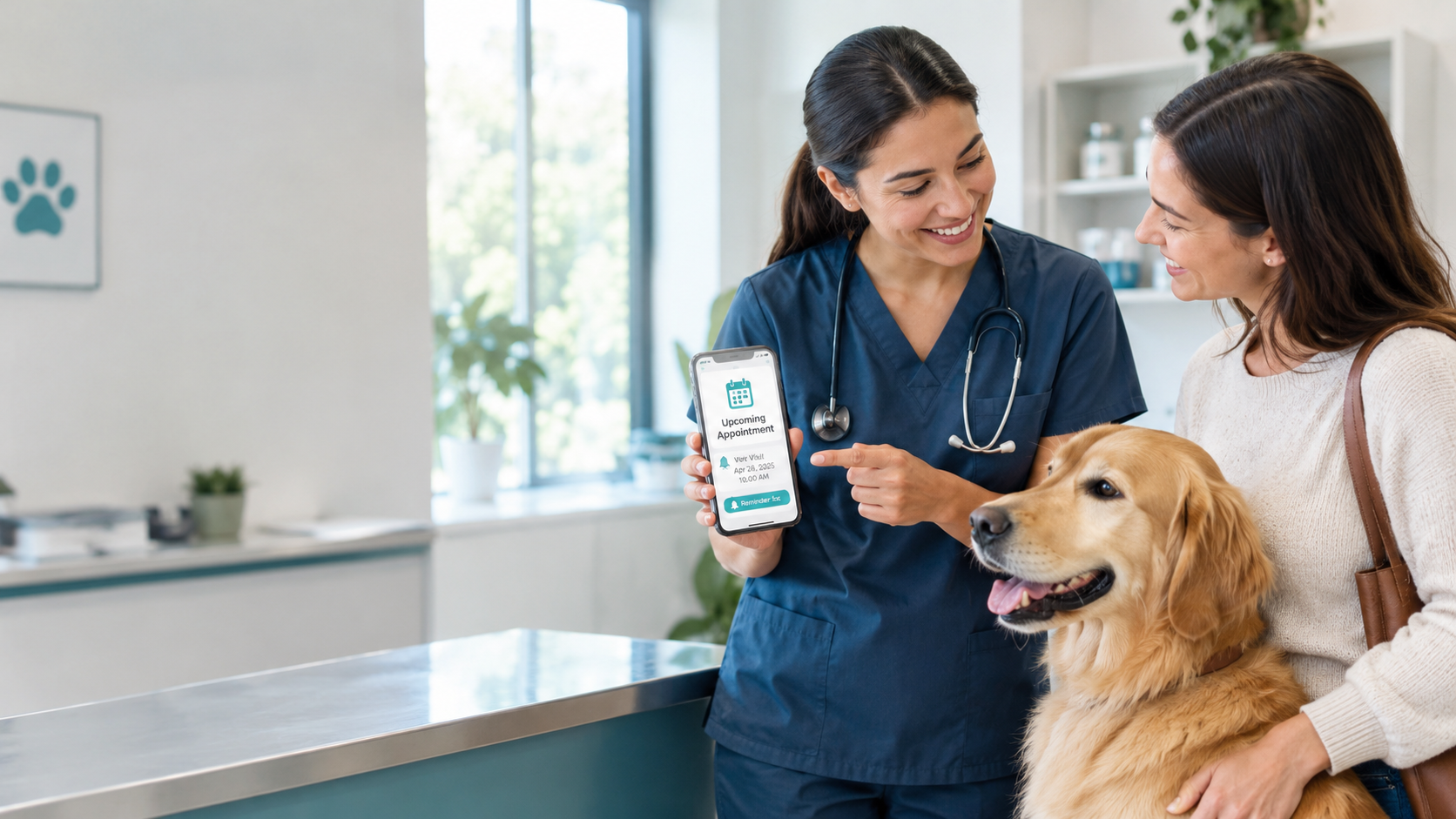
Veterinary appointment reminders help reduce missed visits by sending pet owners timely, personalized notifications through SMS, email, or phone calls. For the best results, veterinary clinics should automate reminders, include essential appointment details and preparation instructions, offer easy rescheduling, and follow up after missed visits. Using veterinary practice management software like Woovet helps teams streamline appointment communication, improve client engagement, and keep routine check-ups and follow-up care on track.


Missed or forgotten appointments are a major problem for clinics, wasting time and money. The good news: Veterinary Appointment Reminders can fix this. Simply sending a clear reminder by email or text a few days (and again 24 h) before an appointment dramatically improves attendance. A study found reminders increased attendance by ~10–15% overall (with SMS and calls particularly effective). In veterinary settings, automated reminders of vaccinations and check-ups boost compliance by 40–50%. The key is automation plus personalization: use your practice management system to automatically message each client with details (pet name, date/time, location) and let them know how to prepare.

Use Automated SMS and Email Alerts

Modern practice software can send texts or emails automatically from your client database. Automating reminders means the clinic sets them up once and the system handles sending. This ensures no one falls through the cracks. For example, scheduling a text 24–48 hours before each visit gives clients a timely nudge. According to reports, automated vet reminders via SMS or email significantly improve punctuality and let owners easily confirm or cancel if needed.

Diversify Your Touchpoints:

Don’t rely on just one channel. Practices should “tally as many touches on your client as possible” without annoying them. This can include printed “appointment cards” at checkout, postcards in the mail, emails, texts, and even phone calls. For example, a postcard reminder mailed a week in advance plus a text 24 h before the appointment covers more bases. The more reminder methods clients experience (especially their preferred one), the less likely they forget.

Personalize Every Message:

Use the pet’s and owner’s names in reminders. Including client and pet names in emails or voice calls makes communication feel personal and important. Also mention the pet’s specific appointment type (“Bella’s annual wellness exam on May 10 at 10 AM”). According to communication experts, this keeps clients attentive: e.g. “Use [pet name] and client name in all communications…it keeps reminders personal”. Woovet automatically populates reminders with names and appointment details, reinforcing that personal touch.

Include Clear Details and Instructions:

Every reminder should clearly state what, when, and how. Include the date, time, clinic address, and any prep instructions (fasting, bring records, etc.). For surgery or special procedures, text messages should even link to prep info (like fasting guidelines). Pick time notes that the best reminders go beyond “You have an appointment” – they tell clients what to bring and how to prepare. By giving full details, you reduce last-minute confusion and stress for pet owners.

Schedule the Next Appointment Now:

Before a client leaves, book their next routine visit (vaccines, checkups). Having that future date in your system allows automatic reminders for wellness visits. As one expert advises, “Schedule every client’s next visit before the current one is over”. Even a tentative appointment date (to be confirmed later) is helpful. Woovet’s calendar lets you easily block follow-up exams, so they’re on the radar months in advance.

Offer Easy Rescheduling:

Make it simple for clients to change appointments. Include a link or instructions on how to reschedule if needed. For example, an emailed reminder might say, “Need to reschedule? Reply to this message or call us at 555-1234”. Online booking systems let owners adjust appointments themselves. This way, a reminder can turn a potential no-show into a rescheduled visit, keeping your schedule full.

Time Your Reminders Strategically:

Don’t just send one message the day before. A series of reminders works best. A good rule: send one 3–7 days ahead and one on the day-before. One clinic found that sending a text 4 days before, then calling 2 days before if no reply, cut their confirmation workload by 80%. Woovet lets you set multiple automated reminders per appointment. Just be sure not to spam – two or three reminders is usually sufficient.

Leverage Practice Management Software:

A system like Woovet can automate most reminders for you. Woovet’s Calendar & Scheduling feature “reduces no-shows with reminders and confirmations”. Likewise, the Client Communication tools send appointment reminders, follow-ups, and even holiday or health alerts automatically. Integrating reminders directly into your vet software ensures every booking triggers the appropriate communications. This keeps your team from manual work and ensures consistency.

Use a Patient Portal or Mobile App:

Encouraging clients to use an app or online portal can also remind them of upcoming visits. These platforms can send push notifications or allow clients to view and confirm appointments 24/7. It not only empowers pet owners but also reduces front-desk calls. Strengthen relationships by enabling features like online booking and appointment alerts through client-facing tools.

Follow Up on Missed Appointments:

Even with reminders, some people will miss a visit. When they do, reach out promptly. A friendly call or text saying “We missed [Pet Name] today, is everything OK?” can often rebook the visit. This shows care and helps recapture revenue. It also reinforces for clients that your clinic tracks and values every patient’s care.

In short, implement consistent, clear reminders through multiple channels and personalize them. Use software to automate texts and emails, but back them up with one friendly phone call or postal reminder if needed. Ensure every reminder includes pet/client names and full appointment details. Studies show that these tactics – especially automated SMS/call reminders – significantly increase attendance. By making reminders timely and relevant, you close the “communication gap” that often causes no-shows and keep appointments on track.

Frequently Asked Questions

What types of appointment reminders can veterinary clinics use?
Clinics typically use automated SMS/texts and emails, as well as phone calls, postcards or app notifications. Modern practice software (like Woovet) often sends email/text reminders automatically. Using multiple channels ensures pet owners receive the message in their preferred way.
How far in advance should reminders be sent?
Best practice is a multi-touch approach: send one reminder 3–7 days before the appointment and another 24–48 hours before. For example, texting 4 days out and then calling 2 days out has been shown to cut no-shows dramatically. Adjust timing based on your clients’ preferences and appointment type.
Do I need client permission to send reminders?
Yes, you should obtain basic contact info (email/phone) at booking. Once you have that, HIPAA rules (in human health) allow reminders as part of “treatment”, so no special authorization is needed. In practice, making reminders part of standard workflow (with consent on intake) is common and accepted.
How can I track if reminders are working?
Use your practice software to monitor attendance rates before and after implementing reminders. Many systems report no-show rates. Additionally, you can ask clients in surveys if they find reminders helpful. Over time, you should see fewer open slots and calls from forgotten visits.
What if clients still miss appointments?
Even with reminders, some will slip through. It’s important to follow up on missed visits. A caring phone call or text — for instance, “We missed [Pet’s Name] today. Can we reschedule?” — often brings them back. It shows you’re attentive and can recover lost revenue.
glare bg
October 13, 2026

Top 10 Ways to Create Veterinary Appointment Reminders

Veterinary appointment reminders help reduce missed visits by sending pet owners timely, personalized notifications through SMS, email, or phone calls. For the best results, veterinary clinics should automate reminders, include essential appointment details and preparation instructions, offer easy rescheduling, and follow up after missed visits. Using veterinary practice management software like Woovet helps teams streamline appointment communication, improve client engagement, and keep routine check-ups and follow-up care on track.


Missed or forgotten appointments are a major problem for clinics, wasting time and money. The good news: Veterinary Appointment Reminders can fix this. Simply sending a clear reminder by email or text a few days (and again 24 h) before an appointment dramatically improves attendance. A study found reminders increased attendance by ~10–15% overall (with SMS and calls particularly effective). In veterinary settings, automated reminders of vaccinations and check-ups boost compliance by 40–50%. The key is automation plus personalization: use your practice management system to automatically message each client with details (pet name, date/time, location) and let them know how to prepare.

Use Automated SMS and Email Alerts

Modern practice software can send texts or emails automatically from your client database. Automating reminders means the clinic sets them up once and the system handles sending. This ensures no one falls through the cracks. For example, scheduling a text 24–48 hours before each visit gives clients a timely nudge. According to reports, automated vet reminders via SMS or email significantly improve punctuality and let owners easily confirm or cancel if needed.

Diversify Your Touchpoints:

Don’t rely on just one channel. Practices should “tally as many touches on your client as possible” without annoying them. This can include printed “appointment cards” at checkout, postcards in the mail, emails, texts, and even phone calls. For example, a postcard reminder mailed a week in advance plus a text 24 h before the appointment covers more bases. The more reminder methods clients experience (especially their preferred one), the less likely they forget.

Personalize Every Message:

Use the pet’s and owner’s names in reminders. Including client and pet names in emails or voice calls makes communication feel personal and important. Also mention the pet’s specific appointment type (“Bella’s annual wellness exam on May 10 at 10 AM”). According to communication experts, this keeps clients attentive: e.g. “Use [pet name] and client name in all communications…it keeps reminders personal”. Woovet automatically populates reminders with names and appointment details, reinforcing that personal touch.

Include Clear Details and Instructions:

Every reminder should clearly state what, when, and how. Include the date, time, clinic address, and any prep instructions (fasting, bring records, etc.). For surgery or special procedures, text messages should even link to prep info (like fasting guidelines). Pick time notes that the best reminders go beyond “You have an appointment” – they tell clients what to bring and how to prepare. By giving full details, you reduce last-minute confusion and stress for pet owners.

Schedule the Next Appointment Now:

Before a client leaves, book their next routine visit (vaccines, checkups). Having that future date in your system allows automatic reminders for wellness visits. As one expert advises, “Schedule every client’s next visit before the current one is over”. Even a tentative appointment date (to be confirmed later) is helpful. Woovet’s calendar lets you easily block follow-up exams, so they’re on the radar months in advance.

Offer Easy Rescheduling:

Make it simple for clients to change appointments. Include a link or instructions on how to reschedule if needed. For example, an emailed reminder might say, “Need to reschedule? Reply to this message or call us at 555-1234”. Online booking systems let owners adjust appointments themselves. This way, a reminder can turn a potential no-show into a rescheduled visit, keeping your schedule full.

Time Your Reminders Strategically:

Don’t just send one message the day before. A series of reminders works best. A good rule: send one 3–7 days ahead and one on the day-before. One clinic found that sending a text 4 days before, then calling 2 days before if no reply, cut their confirmation workload by 80%. Woovet lets you set multiple automated reminders per appointment. Just be sure not to spam – two or three reminders is usually sufficient.

Leverage Practice Management Software:

A system like Woovet can automate most reminders for you. Woovet’s Calendar & Scheduling feature “reduces no-shows with reminders and confirmations”. Likewise, the Client Communication tools send appointment reminders, follow-ups, and even holiday or health alerts automatically. Integrating reminders directly into your vet software ensures every booking triggers the appropriate communications. This keeps your team from manual work and ensures consistency.

Use a Patient Portal or Mobile App:

Encouraging clients to use an app or online portal can also remind them of upcoming visits. These platforms can send push notifications or allow clients to view and confirm appointments 24/7. It not only empowers pet owners but also reduces front-desk calls. Strengthen relationships by enabling features like online booking and appointment alerts through client-facing tools.

Follow Up on Missed Appointments:

Even with reminders, some people will miss a visit. When they do, reach out promptly. A friendly call or text saying “We missed [Pet Name] today, is everything OK?” can often rebook the visit. This shows care and helps recapture revenue. It also reinforces for clients that your clinic tracks and values every patient’s care.

In short, implement consistent, clear reminders through multiple channels and personalize them. Use software to automate texts and emails, but back them up with one friendly phone call or postal reminder if needed. Ensure every reminder includes pet/client names and full appointment details. Studies show that these tactics – especially automated SMS/call reminders – significantly increase attendance. By making reminders timely and relevant, you close the “communication gap” that often causes no-shows and keep appointments on track.

Frequently Asked Questions

What types of appointment reminders can veterinary clinics use?
Clinics typically use automated SMS/texts and emails, as well as phone calls, postcards or app notifications. Modern practice software (like Woovet) often sends email/text reminders automatically. Using multiple channels ensures pet owners receive the message in their preferred way.
How far in advance should reminders be sent?
Best practice is a multi-touch approach: send one reminder 3–7 days before the appointment and another 24–48 hours before. For example, texting 4 days out and then calling 2 days out has been shown to cut no-shows dramatically. Adjust timing based on your clients’ preferences and appointment type.
Do I need client permission to send reminders?
Yes, you should obtain basic contact info (email/phone) at booking. Once you have that, HIPAA rules (in human health) allow reminders as part of “treatment”, so no special authorization is needed. In practice, making reminders part of standard workflow (with consent on intake) is common and accepted.
How can I track if reminders are working?
Use your practice software to monitor attendance rates before and after implementing reminders. Many systems report no-show rates. Additionally, you can ask clients in surveys if they find reminders helpful. Over time, you should see fewer open slots and calls from forgotten visits.
What if clients still miss appointments?
Even with reminders, some will slip through. It’s important to follow up on missed visits. A caring phone call or text — for instance, “We missed [Pet’s Name] today. Can we reschedule?” — often brings them back. It shows you’re attentive and can recover lost revenue.
Get Started with Woovet AI-Powered
Vet Practice Management

Join the hundreds of vets already using Woovet to cut admin time and focus on what really matters.