How to Choose the Right Veterinary Software
Choosing the right veterinary practice management software means evaluating more than features. The right PIMS (Practice Information Management System) should fit your clinic's clinical and operational workflows, support patient records, scheduling, billing, inventory, communication and integrations, while also providing secure data management, easy implementation and room to scale.
Whether you run a small veterinary clinic, specialty hospital or multi-location practice, compare platforms based on how well they solve your current challenges and support your future needs.
Why Does Choosing the Right Veterinary PIMS Matter?
A veterinary practice manages multiple workflows throughout the day. A single appointment can involve scheduling, check-in, patient history, consultation, diagnostics, documentation, billing and follow-up.
When these activities are spread across disconnected systems, spreadsheets or manual processes, small inefficiencies can quickly add up.
Your team may need to:
- Enter the same information more than once
- Search across multiple systems
- Prepare reports manually
- Move information between applications
- Spend additional time completing documentation
- Coordinate tasks through separate communication channels
The right veterinary practice management system should reduce this friction by bringing relevant workflows together.
More importantly, your PIMS should fit the way your team works. A small independent clinic, specialty hospital and multi-location group can have very different requirements. Your veterinary software should therefore be evaluated against your practice model, workflows and growth plans, rather than against a generic feature list.
Current PIMS buying guidance also emphasizes practice fit, workflow evaluation, integrations, security, scalability and implementation rather than simply counting features. Learn more about evaluating a practice management system.
How Do You Know What Veterinary Software Your Practice Actually Needs?
Before comparing veterinary PIMS platforms, start with your own practice. The first step is to identify where your current processes create friction.
Ask your team, Where is the most time being lost?
Look at:
- Appointment management
- Patient documentation
- Billing
- Inventory
- Client communication
- Reporting
- Data entry
- Hospital workflows
- Follow-up tasks
Identifying where your team spends the most time will help you prioritize the veterinary practice management software features that matter most.
Where is information being duplicated?
For example, is client information entered in one system and then manually copied elsewhere? Are staff exporting information to spreadsheets because two systems do not communicate?
Duplicate data entry is often a sign that your current veterinary software is not supporting the workflow as efficiently as it could.
Where are workarounds being used?
Paper schedules, spreadsheets, shared documents and manually maintained reports can all indicate that your current PIMS is not adequately supporting the practice.
Woovet's own guidance on recognizing when a practice has outgrown its veterinary software highlights similar signs, including parallel systems, manual reports, missing client-facing capabilities and workflows that have become difficult to manage.
Define the outcome before defining the software.
Instead of simply deciding that your practice needs "better software," define what you want to improve.
For example:
- Reduce documentation time
- Improve appointment utilization
- Reduce duplicate data entry
- Improve access to patient records
- Simplify inventory management
- Improve billing workflows
- Improve client communication
- Improve management reporting
These outcomes should become your evaluation criteria when comparing veterinary practice management software.
What Features Should You Look for in Veterinary Practice Management Software?
Once you understand your needs, identify the veterinary practice management software features that directly support them.
1. Electronic Medical Records
A strong PIMS should make it easy to access patient history and maintain organized clinical records.
Evaluate:
- Patient history
- SOAP documentation
- Prescriptions
- Diagnostics
- Attachments
- Notes and templates
- Access controls
Woovet's EMR is designed to organize patient records and clinical documentation within the practice management workflow.
For a deeper understanding of veterinary EMR, EHR and PIMS terminology, see our guide to veterinary EMR vs. EHR vs. PIMS.
2. Appointment scheduling
Scheduling is one of the most frequently used parts of a veterinary PIMS, so it should be easy for front-desk teams and practice managers to manage.
Evaluate whether the platform supports:
- Appointment booking
- Rescheduling
- Provider availability
- Appointment types
- Reminders
- Calendar visibility
- Multiple locations, where applicable
The goal is to make scheduling part of a connected practice workflow rather than a separate administrative task.
3. Inventory Management
Inventory can affect both patient care and practice profitability.
Look for:
- Stock visibility
- Low-stock alerts
- Purchasing workflows
- Supplier management
- Inventory reporting
Effective inventory management within your veterinary software can reduce manual tracking and give your team better visibility into stock levels and purchasing requirements.
Woovet includes inventory management capabilities designed to help practices track stock and manage purchasing workflows.
4. billing and payments
A PIMS should make it easier to move from services provided to payment received.
Evaluate:
- Invoicing
- Payment processing
- Split billing
- Refunds
- Accounting workflows
- Financial reporting
Your veterinary practice management software should connect billing and payment workflows with the rest of the practice rather than requiring staff to repeatedly transfer information between systems.
Woovet integrates payment and accounting capabilities, while its integrations ecosystem includes Fiserv, Xero and QuickBooks.
5. Client communication
Client communication is part of the veterinary practice workflow, not a separate activity.
Consider whether your PIMS supports:
- Appointment reminders
- Follow-ups
- Digital communication
- Client access
- Notifications
- Automated communications
The objective is to reduce unnecessary manual communication while maintaining a consistent client experience.
A connected veterinary software platform can help staff manage communication alongside appointments, patient records and other practice workflows.
6. reporting and analytics
Practice owners and managers need more than raw data. Your PIMS should help you understand how your practice is performing.
Evaluate whether the software provides visibility into:
- Revenue
- Appointments
- Patient activity
- Practice performance
- Operational trends
- Multi-location performance, when relevant
Woovet provides Reports & Analytics and a CEO Dashboard as part of its management capabilities. The platform is designed to provide visibility into practice performance and help teams make more data-informed decisions.
How Should You Evaluate a PIMS During a Software Demo?
A software demo should be more than a tour of attractive screens.
Ask the vendor to demonstrate your actual veterinary workflows.
For example:
"Show me what happens when a new client calls, books an appointment, receives a reminder, checks in, sees the veterinarian, gets a treatment plan, pays and receives follow-up communication."
Also test a clinical scenario:
"Show me how a veterinarian opens the patient history, documents the consultation and completes the record."
And an operational scenario:
"Show me what happens when inventory reaches a low-stock level."
This approach is more useful than asking whether a platform has a feature and accepting a "yes."
The best PIMS demo question is:
"Can you show me how this works from beginning to end?"
Seeing the complete workflow helps you understand whether the veterinary software actually fits your team's daily operations.
What Should You Consider When Comparing Veterinary Software?
A useful way to compare veterinary software is to evaluate it across several categories rather than relying on a feature checklist.
Workflow fit
Does the platform support the way your team actually works?
Ease of use
Can staff complete common tasks without unnecessary steps?
Integrations
Does it connect to the systems your practice already uses?
Data
Can you migrate your existing information safely and accurately?
Security
How is access controlled and how is your practice information protected?
Scalability
Can the platform support additional users, services or locations as your practice grows?
Support
What onboarding, training and customer support are provided?
Cost
What is included in the subscription, and what additional costs may apply?
The best veterinary PIMS is not necessarily the one with the most features. It is the one that provides the right capabilities for your practice without creating additional complexity.
Woovet's pricing includes a cloud-based platform, full-featured free trial, onboarding support and personalized training sessions. Plans can also be adjusted as practice needs change.
Why Are Veterinary Software Integrations Important?
A PIMS rarely works completely on its own.
Your practice may use separate systems for:
- Laboratory services
- Payments
- Accounting
- Inventory
- Scheduling
- Communication
- Imaging
The important question is not simply whether an integration exists.
It is:
Does the integration reduce work for the team?
Woovet currently lists integrations across payments and accounting, laboratory and diagnostics, inventory, and scheduling and communication. Its integration ecosystem includes Fiserv, Xero, QuickBooks, IDEXX Reference Labs, Vetcove, Google Calendar and PetLink.
When reviewing integrations, ask:
- What data moves between systems?
- Is synchronization automatic?
- Is there an additional cost?
- Who supports the integration?
- What happens when the connection fails?
The right integrations can reduce duplicate entry and keep clinical, operational and financial information connected.
How Important Is Data Migration When Switching Veterinary Software?
Data migration should be discussed before signing the contract, not after.
Your existing PIMS may contain years of:
- Client information
- Patient history
- Vaccination records
- Prescriptions
- Appointment history
- Invoices
- Attachments
- Diagnostic information
- Other account data
Before switching veterinary software, ask the vendor exactly what will be migrated and how the process will be handled.
Important questions include:
- What record types can be transferred?
- How are attachments handled?
- How will data be mapped?
- Will there be a test migration?
- How will migrated records be validated?
- Who handles migration issues?
- What happens to information that cannot be migrated automatically?
Woovet's published veterinary software migration guide recommends obtaining a complete export, defining the migration scope, performing a test migration, validating real patient records and completing a final migration before cutover.
The objective is not merely to move data.
It is to make sure that the information remains accurate, usable and accessible after the transition.
How Do You Implement New Veterinary Practice Management Software?
Once you've chosen a platform, implementation should be planned rather than left to the final week.
A practical implementation process includes:
1. Configure the system
Set up users, permissions, services, templates, appointment types, pricing and other practice-specific settings.
2. Migrate and validate data
Complete the test migration and review representative patient records before final cutover.
3. Train by role
A veterinarian, technician, receptionist and practice manager will use different parts of the system.
Training should therefore focus on their daily responsibilities and workflows.
4. Test real workflows
Before going live, run common scenarios:
- Book an appointment
- Check in a patient
- Open a record
- Complete a consultation
- Create an invoice
- Process a payment
- Update inventory
- Send follow-up communication
- Run a report
5. Establish the cutover
Set a clear date when the new veterinary software becomes the primary system.
Woovet's migration guidance recommends a short, defined overlap with the old system kept available for reference rather than maintaining two fully active systems for an extended period.
What Should You Look for in AI-Powered Veterinary Software?
AI is becoming part of modern veterinary software, but the important question is not whether a vendor uses the term "AI."
Ask what the AI actually does and whether it solves a real workflow problem.
Documentation
Can it reduce the time veterinarians spend writing notes?
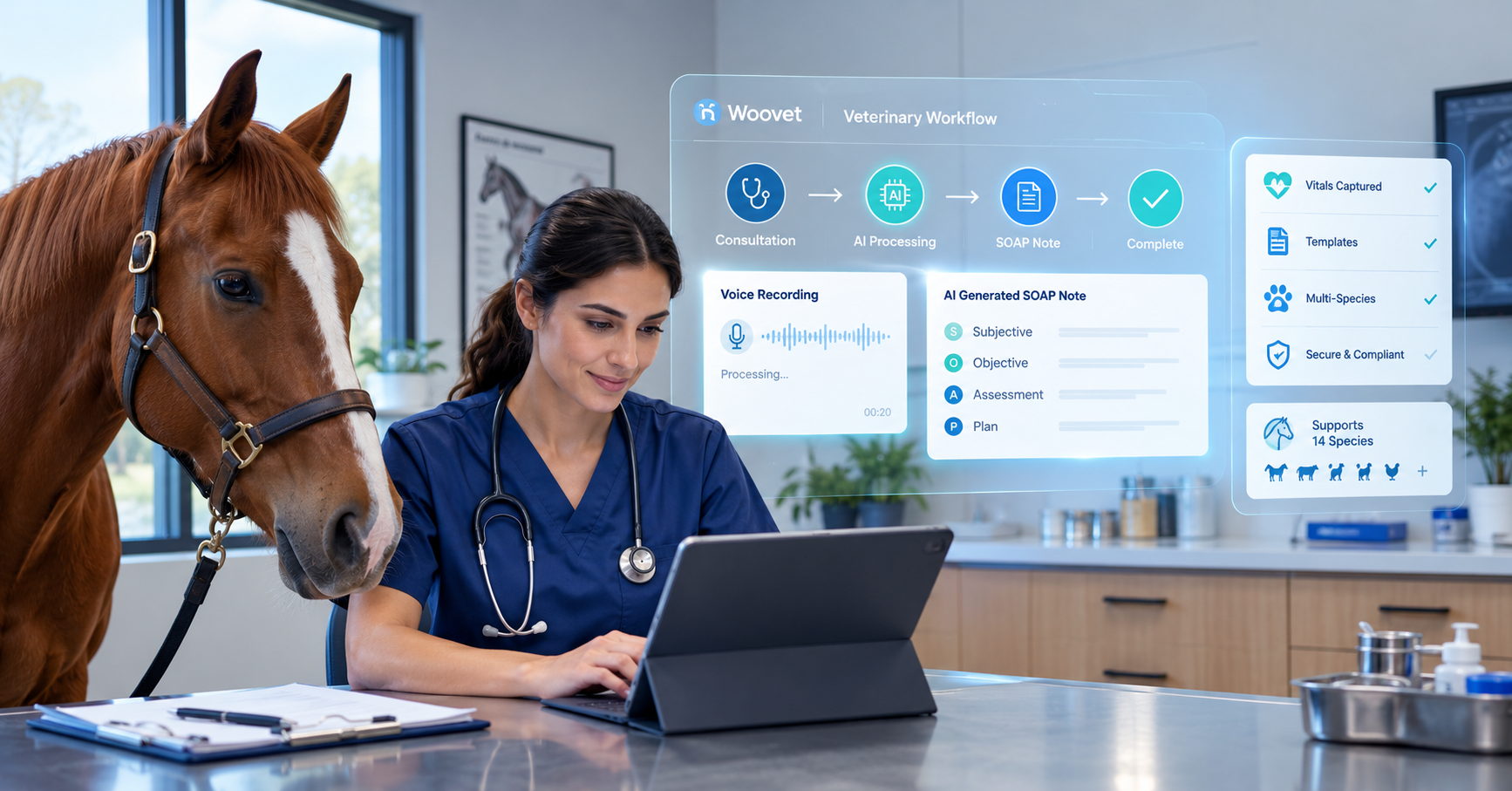
Woovet's Coggo Voice converts clinical conversations into structured SOAP documentation and is designed to reduce manual note-taking during and after consultations.
Clinical support
Can it help organize or analyze relevant clinical information?
Woovet's Coggo Assess analyzes symptoms and images to provide AI-supported assessment insights, with the aim of helping clinicians make faster and more informed decisions.
Human oversight
AI should support the veterinarian rather than remove clinical responsibility.
When reviewing an AI feature, ask:
- What information does it use?
- What does it generate?
- Can the veterinarian review and edit the output?
- What decisions remain with the clinician?
The value of AI in veterinary practice management software should ultimately be measured by the workflow it improves, the time it saves and the support it provides to veterinary professionals.
Can Veterinary Practice Management Software Scale With Your Practice?
Scalability should be considered before you need it.
A system that works for one location may need to support very different requirements as the practice grows.
Consider whether the platform can accommodate:
- Additional users
- Additional veterinarians
- Additional services
- Additional workflows
- Multiple locations
- More reporting requirements
- More integrations
- Increased client volume
Woovet describes its platform as scalable across solo vets, clinics and enterprise-level hospitals, with the ability to change plans as practice needs evolve.
The best time to evaluate scalability is before expansion—not when your current veterinary software is already limiting your practice.
Veterinary PIMS Buying Checklist
Before selecting your next veterinary practice management software, use this checklist.
Clinical
- Does it support efficient medical documentation?
- Can staff quickly access patient history?
- Can clinical information be organized consistently?
- Does it support the workflows your veterinarians actually use?
Operations
- Is scheduling easy to manage?
- Can inventory be tracked efficiently?
- Does billing match your workflow?
- Can tasks and communication be managed effectively?
Integrations
- Does it connect with your laboratory and accounting systems?
- Can payments be integrated?
- Can data move between systems automatically?
Migration
- What information will transfer?
- Are attachments included?
- Is there a test migration?
- Can your team validate migrated records?
Implementation
- Is onboarding included?
- Is training available?
- Who supports the go-live?
- What happens if problems occur during implementation?
AI
- Does the AI solve a real workflow problem?
- Can users review its output?
- Is clinical judgment maintained?
Growth
- Can the system support more users?
- Can it accommodate more locations?
- Can you add capabilities as the practice grows?
Cost
- What is included?
- Are there setup or migration fees?
- Are integrations included?
- What support is included?
What Should a Modern Veterinary PIMS Include?
At a high level, a modern PIMS should connect three areas of practice management.
Clinical
Patient records → documentation → diagnostics → prescriptions
Operations
Scheduling → inventory → payments → communication → tasks
Intelligence
Analytics → automation → AI-assisted workflows → practice insights
This connected approach is increasingly important as veterinary practices move from simply digitizing individual tasks toward improving the flow of information across the practice.
Woovet follows this broader model by combining veterinary practice management functions with AI capabilities, integrations and analytics.
Why Choose Woovet?
Woovet is designed to bring clinical, operational and AI-powered capabilities together in one veterinary practice management software platform.
Its platform includes:
- Electronic medical records
- Appointment scheduling
- Inventory management
- Payments
- Client communication
- Reporting and analytics
- Telemedicine
- AI-powered documentation
- AI-supported clinical assessment
- Integrations with other veterinary and business tools
Woovet's platform is designed to streamline daily workflows, improve client communication, support data-backed decisions and give veterinary practices more time for patient care.
Its integrations include tools such as Fiserv, Xero, QuickBooks, IDEXX Reference Labs, Vetcove, Google Calendar and PetLink.
For practices evaluating a new PIMS, the goal should not simply be to replace an old system.
It should be to find a platform that fits the practice, simplifies workflows and can grow with the team.
Ready to evaluate your next veterinary practice management system?
Explore Woovet, review the features, and book a demo to see how the platform fits your practice.
Frequently Asked Questions
What is Veterinary Practice Management Software?
Why is choosing the right Veterinary PIMS important?
How do I determine what Veterinary Software my practice needs?
What features should I look for in a Veterinary PIMS?
How can a PIMS improve my practice's efficiency?
What is the importance of evaluating a PIMS based on practice fit?
Join the hundreds of vets already using Woovet to cut admin time and focus on what really matters.