

Posted byDaniel ThompsonDaniel ThompsonVet Writer
March 12, 2026

Inside Woovet: Revamped Client Patient Menu

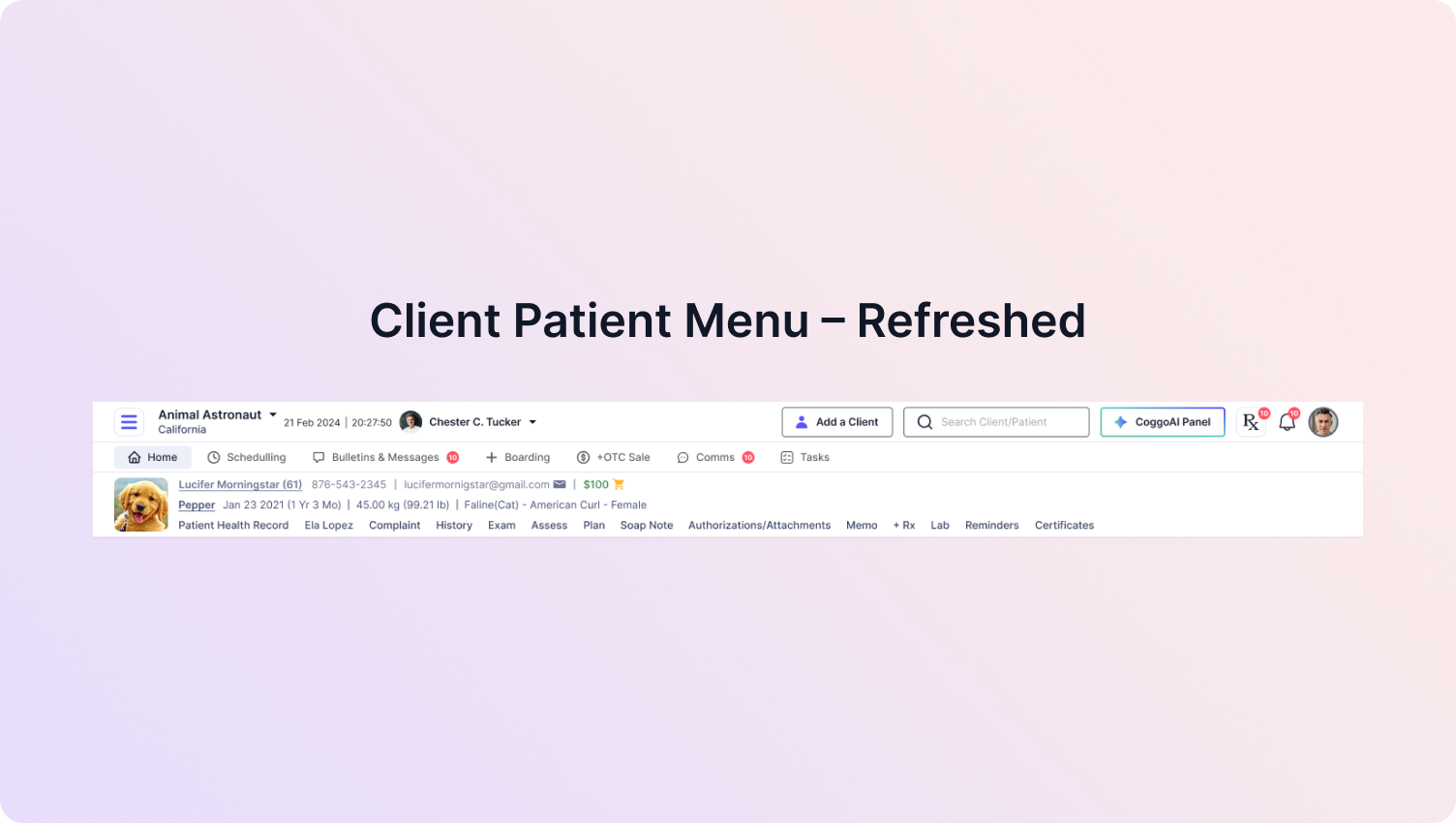
We’ve rolled out a UI refresh in Woovet focused on making navigation cleaner, faster, and more intuitive for veterinary teams.

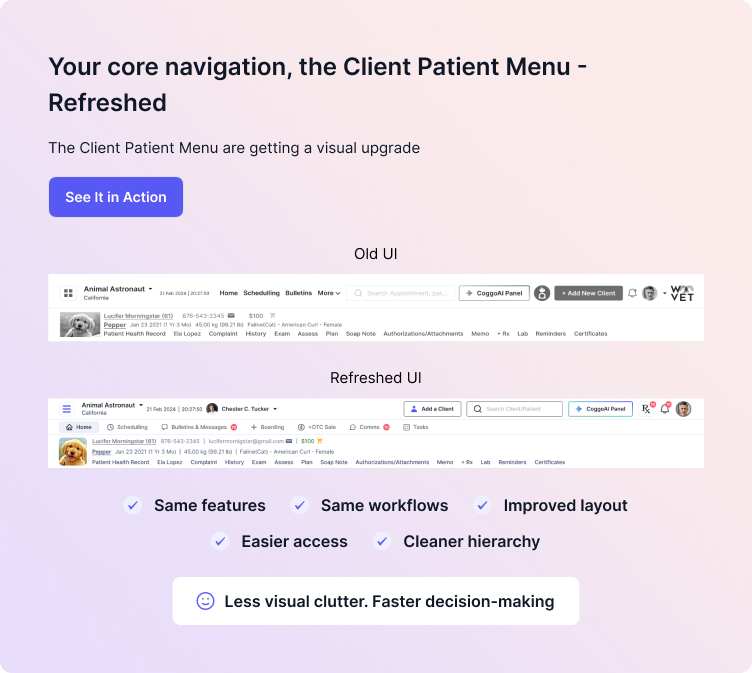
This update improves the Client Patient Menu layout without changing the workflows you’re already familiar with. All the tools and features you rely on remain the same—just presented in a clearer, more organized interface.

The goal is simple: reduce visual clutter and help you move through tasks more efficiently during busy clinic hours.


What's new for clients?

The Client and Patient Widget and the main menu have been visually upgraded to provide a more streamlined navigation experience.

While the design has been refreshed, the functionality and workflows remain unchanged.


What’s improved:

  • Cleaner, more intuitive layout

  • Faster access to key actions

  • Improved navigation clarity

  • Better patient information visibility


This update makes it quicker for veterinary teams to find what they need without interrupting their workflow.


Inside Woovet: Revamped Client Patient Menu


CoggoAI Voice Assistant – Better Placement

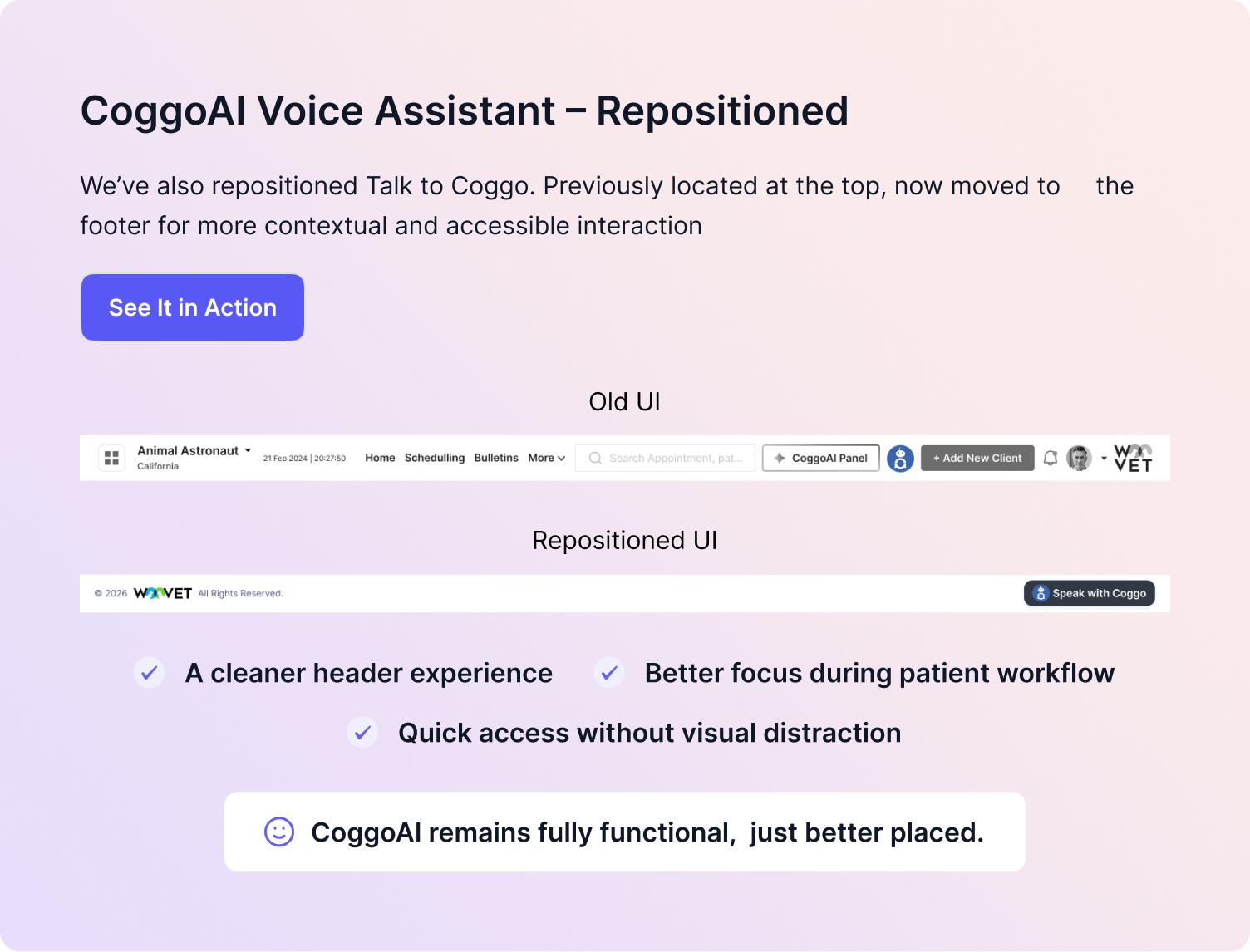
We’ve also repositioned the CoggoAI Voice Assistant (Talk to Coggo) to improve usability.

Previously located at the top of the interface, it has now been moved to the footer, creating a cleaner header and a more focused workspace.

This change helps maintain quick access to voice-driven documentation while keeping the interface less cluttered during patient workflows.

Importantly, CoggoAI’s functionality remains unchanged—you can still generate structured SOAP notes and interact with the assistant as before.


Inside Woovet: Revamped Client Patient Menu


Why This Update Matters

These improvements are designed to support faster navigation, improved usability, and more efficient workflows for veterinary practices.

By simplifying the interface and organizing navigation more clearly, Woovet helps veterinary teams focus on what matters most: patient care and clinical decision-making.

The update will be rolling out soon, and no action is required from your side.


Implementing the Revamped Client Patient Menu in Daily Practice

The revamped Client Patient Menu in Woovet is designed to make a significant impact on the daily operations of veterinary clinics. By streamlining navigation and reducing visual clutter, veterinary teams can expect to save time and effort when accessing key patient information and performing routine tasks. This update is particularly beneficial during busy clinic hours when every minute counts, and teams need to move quickly and efficiently through their workflows.

Practical Benefits for Veterinary Clinics

The improved layout and faster access to key actions will enable veterinary teams to provide better patient care and make more informed clinical decisions. With the new design, teams can quickly locate patient information, access medical histories, and perform tasks such as scheduling appointments and ordering medications. This streamlined process will also help reduce errors and improve overall patient outcomes.

  • Enhanced patient care through faster access to medical information
  • Improved clinical decision-making with clearer navigation and organization
  • Increased efficiency during busy clinic hours, reducing wait times and improving patient satisfaction
  • Reduced errors and improved accuracy in patient care and documentation

Acting on the Update

To get the most out of the revamped Client Patient Menu, veterinary teams should take some time to familiarize themselves with the new layout and features. This can be done by exploring the updated interface, accessing key patient information, and performing routine tasks to get a feel for the new design. Additionally, teams can provide feedback to Woovet on their experience with the update, helping to further refine and improve the platform.

By embracing the changes and updates to the Client Patient Menu, veterinary clinics can improve their overall efficiency, productivity, and patient care. The update is designed to support the unique needs of veterinary practices, and by leveraging these improvements, teams can focus on what matters most: providing exceptional care and service to their patients.

See how Woovet supports these workflows on our features page, or schedule a walkthrough with the team.

glare bg
May 31, 2026

Inside Woovet: May Product Updates


New: ZATCA Integration

ZATCA integration is now available for practices in Saudi Arabia, enabling compliance with applicable e-invoicing and tax reporting requirements through direct integration in Woovet. The integration supports the generation and submission of ZATCA-compliant invoices, QR code generation, and secure communication with ZATCA services for invoice validation and reporting.


New: QuickBooks Integration

QuickBooks integration is now available, allowing financial data to be synchronized between Woovet and QuickBooks. The integration supports the transfer of invoices, payments, customer information, and accounting transactions, helping maintain consistency between operational and financial records while reducing manual data entry.


New: Xero Integration

Xero integration is now available, enabling the synchronization of accounting and financial information with Xero. The integration supports the exchange of invoices, payments, contacts, and financial transactions, providing a streamlined workflow for accounting and financial reconciliation.


New: IDEXX Species and Breed Mapping Management

IDEXX Species Mapping and IDEXX Breed Mapping are now available for clinic-level management under Labs Radiology and Worklists → Primary Setup → IDEXX Species Mapping and IDEXX Breeds Mapping. Previously, species and breed mappings were managed from admin. Practices can now create, update, and maintain their own mappings, allowing them to quickly handle newly added species or breeds and manage unmapped records. 


Improved: Vendor Item Search Functionality with Barcode Search

Barcode search functionality has been expanded beyond the Active Plan and OTC Plan pages. Users can now search using barcodes within Vendor Item Setup, Add & Receive Stock, Plan Item Add/Edit, and Stock Reports, providing a more consistent search experience across inventory-related workflows.


Improved: In-House and Reference Lab Breed Mapping

The breed mapping process for in-house and reference laboratories has been optimized through indexing improvements, resulting in faster search and mapping performance.

Get Started with Woovet AI-Powered
Vet Practice Management

Join the hundreds of vets already using Woovet to cut admin time and focus on what really matters.